
All Trucks Capacity x5 v0.1.1
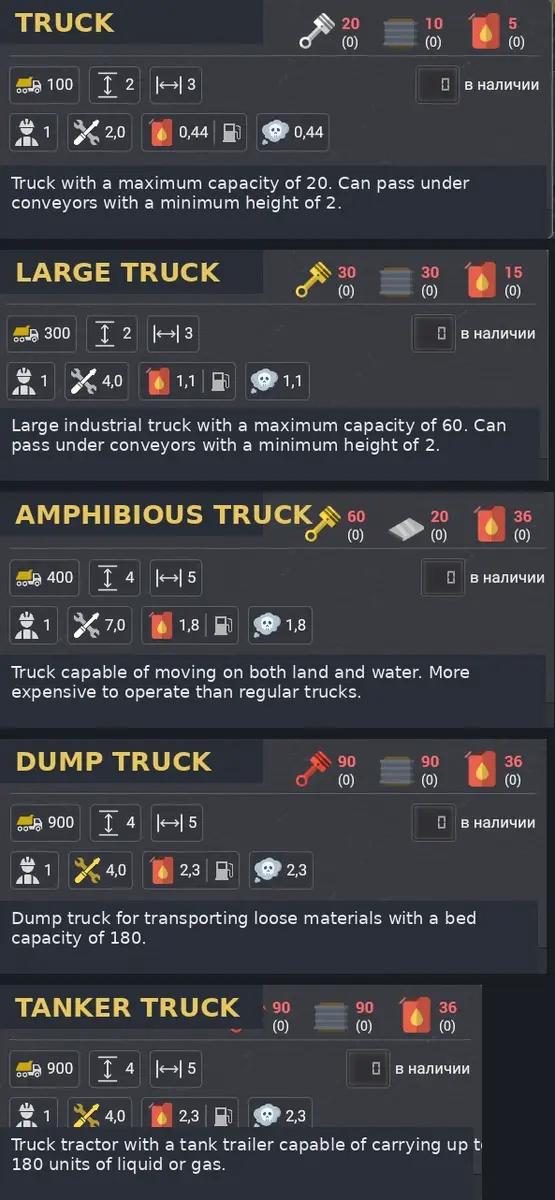
Increases the capacity of all trucks by exactly 5x. Configurable multiplier. Does not affect excavator buckets.
All Trucks Capacity x5
All Trucks Capacity x5
This mod increases the capacity of all regular transport trucks by 5x by default.
It is intended for players who want to reduce the amount of truck traffic required for large logistics networks while keeping the gameplay simple and predictable.
What This Mod Affects
This mod affects regular transport trucks only.
It does not affect:
- Excavator buckets
- Mining equipment buckets
- Transport belts
- Pipes
- Any other non-truck systems
Features
- Increases all truck capacities by 5x by default
- Configurable capacity multiplier
- Works only with regular trucks
- Does not affect excavator buckets
- Does not affect transport belts or pipes
- Simple balance mod
- No complicated mechanics
- Can be added to existing saved games
- Can be removed from existing saved games
Configuration
The default multiplier is set to 5.
You can change the multiplier in the mod config when enabling the mod. This allows you to choose a smaller or larger boost depending on how much you want to change the balance.
Important: the config value is a multiplier, not the final truck capacity value.
For example:
2= moderate boost3= strong boost5= default high boost10= very strong boost
Very high multiplier values are not recommended and may not work correctly, because the game may not handle extremely large truck capacities properly.
Save Game Compatibility
This mod can be added to or removed from existing saved games.
It does not add new buildings, resources, recipes, prototypes, or saved data. It only modifies existing truck capacity values while the mod is active.
Newly built trucks should use the modified capacity automatically.
After removing the mod, the game should return to the default truck capacity values.
Existing Trucks Refresh
If you add the mod to an existing save, already existing trucks may not refresh their capacity immediately.
To refresh existing trucks:
- Load your save with the mod enabled.
- Turn on the “Overloaded trucks” edict for a moment.
- Existing trucks should refresh and use the new capacity.
- You can turn the edict off again if you do not want to keep using it.
Thanks to Psycho for finding and sharing this workaround.
Installation
- Download the mod archive.
- Extract the mod folder into your Captain of Industry Mods folder:
C:\Users\<YourUserName>\AppData\Roaming\Captain of Industry\Mods
- Start the game.
- Enable the mod in the Mods menu.
- Adjust the multiplier in the mod config if needed.
- Start a new game or load an existing saved game.
Notes
This mod changes game balance and makes truck-based logistics easier.
If you add the mod to an existing save, check your trucks after loading the game to confirm that the new capacity values are applied correctly.
If existing trucks still show the old capacity, use the “Overloaded trucks” edict refresh workaround described above.
This mod has no dependencies.
No other mods depend on this mod yet.
No announcements yet.
No changelog available for this mod.