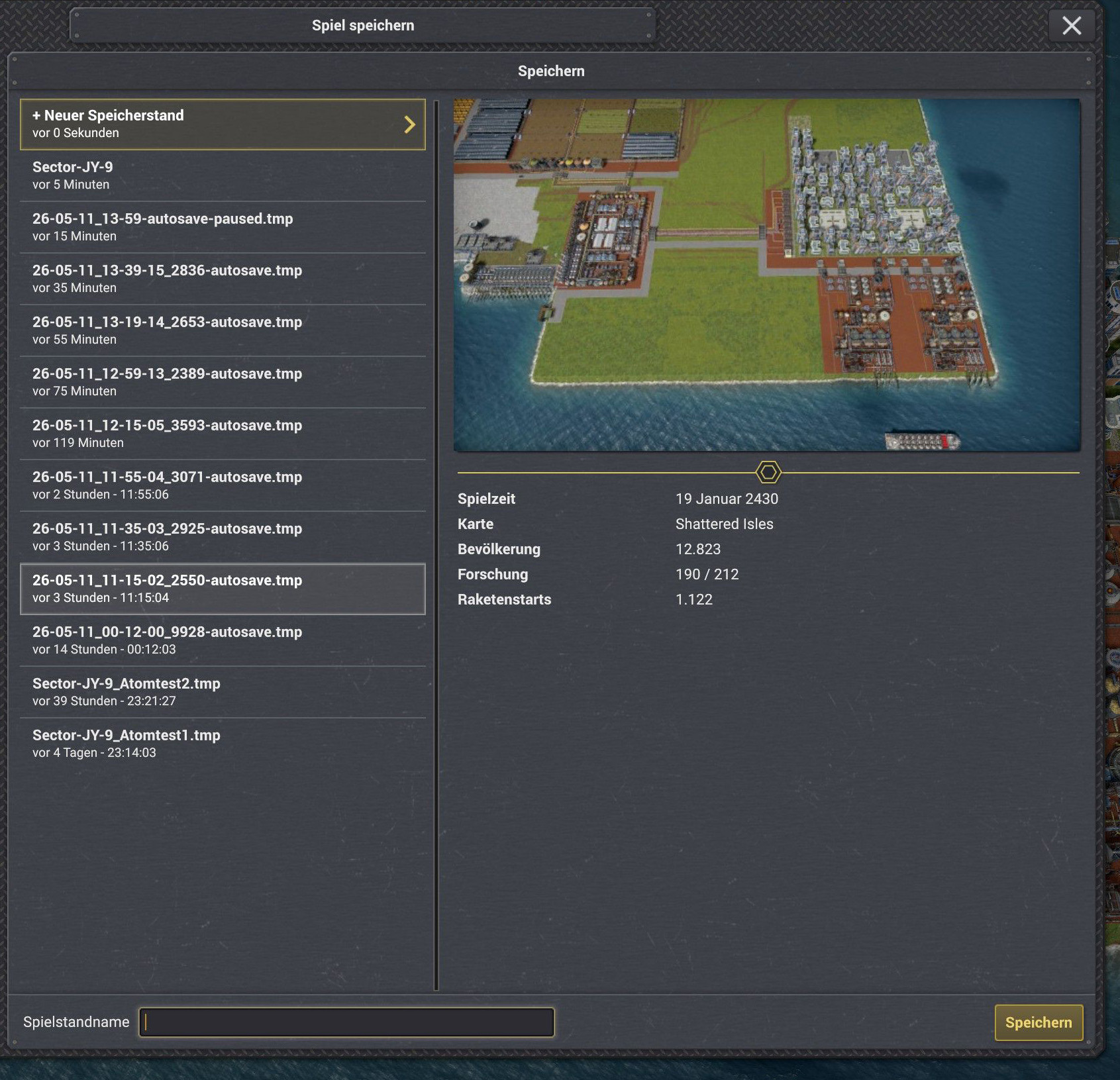
Autosave has been working much better in Crossover (macOS) since the 0.84 update—thanks for that :)
However, there still seem to be some minor issues—the maximum number of autosave files isn’t being enforced. They have to be manually deleted from the game repeatedly, otherwise there just end up being too many.
Also, the files still end with .tmp.
I have a log excerpt here and hope you can still resolve the issue, even though Crossover (macOS) isn’t officially supported...
I 23:34:04,613 S10300154 ~Thr: GameSaver: Save finalize took 1250 ms
W 23:34:04,653 S10300154 ~Thr: File.Replace from 'C:\users\crossover\AppData\Roaming\Captain of Industry\Saves\Sector-JY-9\26-05-07_23-34-02_3692-autosave.tmp.save' to 'C:\users\crossover\AppData\Roaming\Captain of Industry\Saves\Sector-JY-9\26-05-07_23-34-02_3692-autosave.save' reported phantom HResult 0x80070000 "Erfolg", treating as success.
at Mafi.Core.FileSystemHelper.MoveFileWithOverwrite (System.String source, System.String dest) [0x00000]
at Mafi.Core.SaveGame.ASyncSaver.doWork (System.Object , System.ComponentModel.DoWorkEventArgs _) [0x00000]
at System.ComponentModel.BackgroundWorker.OnDoWork (System.ComponentModel.DoWorkEventArgs e) [0x00000]
at System.ComponentModel.BackgroundWorker.WorkerThreadStart (System.Object argument) [0x00000]
at System.ComponentModel.BackgroundWorker.<RunWorkerAsync>b__27_0 (System.Object arg) [0x00000]
at System.Threading.Tasks.Task.InnerInvoke () [0x00000]
at System.Threading.Tasks.Task.Execute () [0x00000]
at System.Threading.Tasks.Task.ExecutionContextCallback (System.Object obj) [0x00000]
at System.Threading.ExecutionContext.RunInternal (System.Threading.ExecutionContext executionContext, System.Threading.ContextCallback callback, System.Object state, System.Boolean preserveSyncCtx) [0x00000]
at System.Threading.ExecutionContext.Run (System.Threading.ExecutionContext executionContext, System.Threading.ContextCallback callback, System.Object state, System.Boolean preserveSyncCtx) [0x00000]
W 23:34:04,682 S10300154 ~Mai: Failed to read save file size for 'C:\users\crossover\AppData\Roaming\Captain of Industry\Saves\Sector-JY-9\26-05-07_23-34-02_3692-autosave.save' (HResult 0x1A00700): Unknown error (0x1a00700) : 'C:\users\crossover\AppData\Roaming\Captain of Industry\Saves\Sector-JY-9\26-05-07_23-34-02_3692-autosave.save'
at Mafi.Core.SaveGame.SaveManager.finishSave () [0x00000]
at Mafi.Core.SaveGame.SaveManager.sync () [0x00000]
at Mafi.EventNonSaveable.Invoke () [0x00000]
at Mafi.EventNonSaveable.InvokeTraced (System.String traceCategory) [0x00000]
at Mafi.Event.InvokeTraced (System.String traceCategory) [0x00000]
at Mafi.Core.Simulation.SimLoopEvents.InvokeSync () [0x00000]
at Mafi.Core.Simulation.SimulationBackgroundTask.PerformSync () [0x00000]
at Mafi.Core.GameLoop.BackgroundTaskRunner.Sync () [0x00000]
at Mafi.Core.GameLoop.GameRunner.performSyncAndStartSim (System.Single deltaTimeMs) [0x00000]
at Mafi.Core.GameLoop.GameRunner.Update (Mafi.Fix32 deltaTimeMs) [0x00000]