Leveling

3 days ago

Is there a way to use this to level all terrain within the control tower's area to a particular elevation? This sort of sounds like Flat "bottom" terrain designation | COI Hub but I'm not sure it has quite the same purposes.

So the goal here isn't about getting a particular resource out, but making room for the next place on my factory - it may not need a ramp at all. Yes, I could manually go set the mining desginations, but for larger areas that is tedious.

I tried setting "elevation limit" to my targeted elevation I wanted to level with ore purity set to "off" and it created SOME of it, but also left some other hills/bumps (I note these areas did not show a resource bar when that overlay was toggled on, not even rock). Example screenshot. Here you can see just left of the mine control tower dialog that there are some hills still above the set +40 elevation limit.
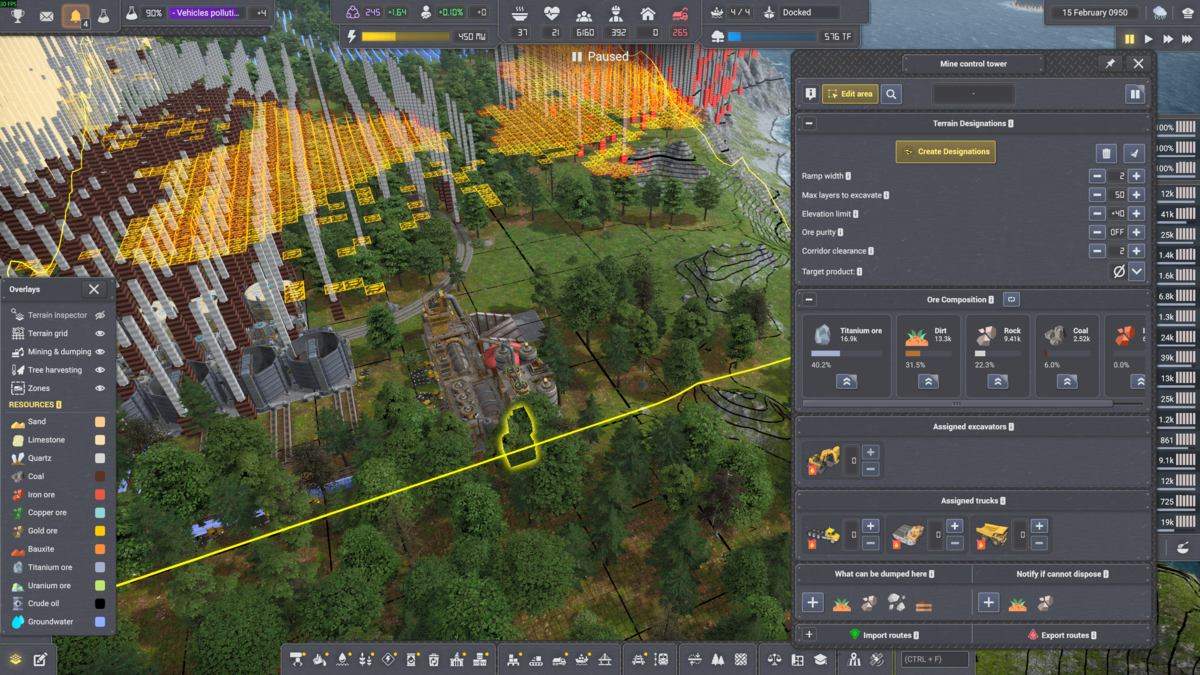
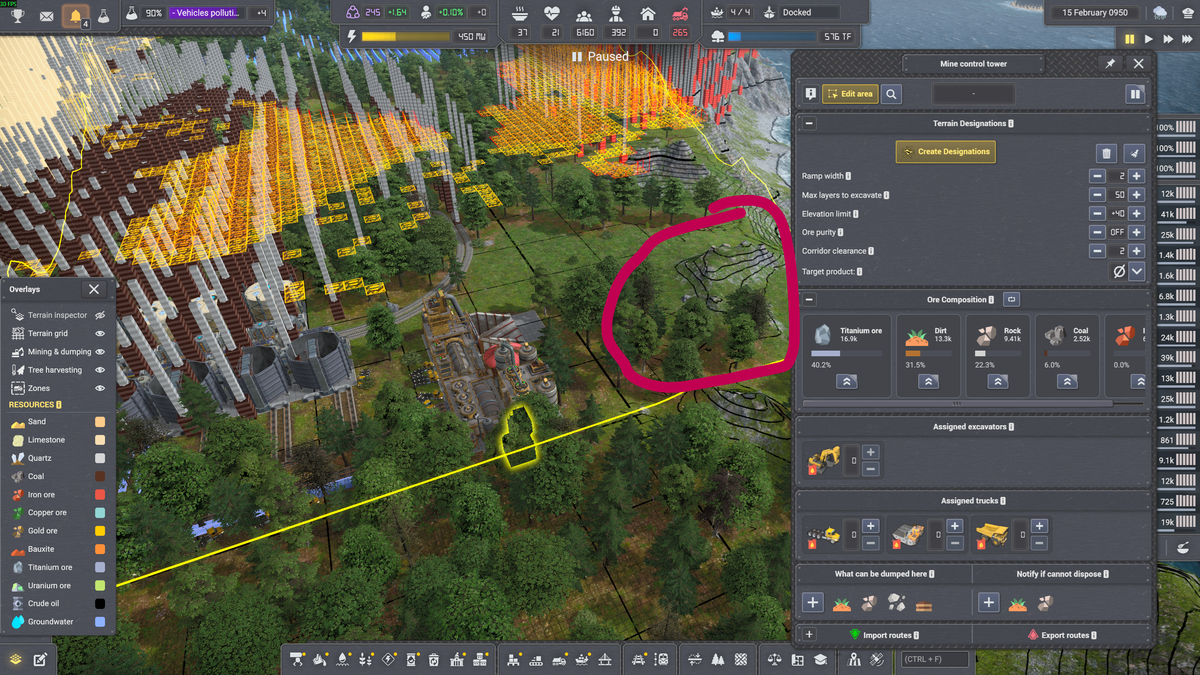
image.png

Edited 3 days ago
3 days ago

So, right now there's no way to target ALL resources. None(Auto) just targets everything except rock and dirt.

Those bumps are probably debris, which it has designated for removal.

3 days ago

You mentioned debris, which I don't think this is. I've circled an example of what I hoped would be marked:

image.png

3 days ago

You could probably get it to mark that if you scan for rock with the depth limit of your base. Scanning will only add or change designations, never remove.

3 days ago

When I set the scanning filter to rock, the scan returned "No minable designations found" and Create Designations did nothing. It feels like something may be intentionally excluding rock? The description on 'Scanning filter' even says:
None = useful products first, then debris, then dirt

Which also suggests Rock isn't considered useful for anything

57 Showing 17 of 7
Log in to reply.